


Lesson 5 – Decision Support Systems
Introduction
This lesson offers an expansive exploration of Decision Support Systems (DSS), unraveling their origins and providing a comprehensive understanding. The term Decision Support Systems is contextually nuanced and lacking a universally accepted definition. DSS endeavors to automate various facets of the decision-making process, serving as a pivotal tool in the business landscape.
I. Definition of Decision Support Systems (DSS)
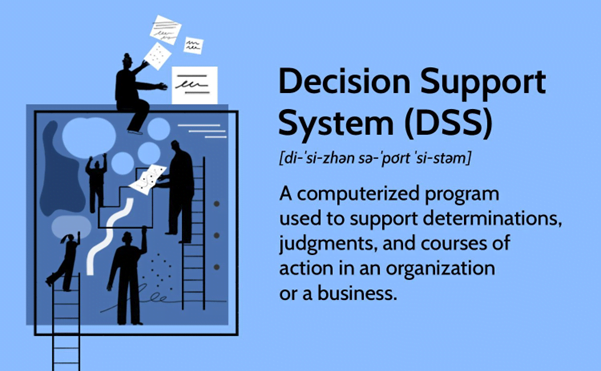
A Decision Support System (DSS) is a computer program application designed to enhance an organization’s decision-making capabilities. It delves into extensive data sets, presenting the organization with optimal choices. Unlike operational applications, which record transaction details, DSS is an informational application that goes beyond routine reports, providing users with diverse data sources for informed decision-making.
II. Purpose of A Decision Support System
A decision support system gathers and analyzes data to provide detailed information reports. As a result, a DSS differs from a standard operations application, which collects data but does not analyze it.
A DSS is used in an organization by planning departments, such as the operations department, to collect data and provide a report that managers may utilize for decision-making. A DSS is mostly used for sales forecasting, inventory and operations data, and presenting information to clients in an easy-to-understand format.
In theory, a DSS may be used in a variety of knowledge domains ranging from an organization to forest management and the medical industry. Real-time reporting is one of the most important applications of a DSS in an organization. It can be extremely beneficial for firms that use just-in-time (JIT) inventory management.
In a JIT inventory system, the company requires real-time data on inventory levels to make orders “just in time” to avoid production delays and a negative domino effect. As a result, unlike a traditional system, a DSS is more suited to the individual or organization making the choice.
III. DSS Components
A typical DSS comprises three fundamental parts: a knowledge database, software systems, and a user interface.
Knowledge Base
Integral to the DSS database, it houses information from internal and external sources, serving as a repository for subject-specific data. This segment aids the system's reasoning engine in determining appropriate courses of action.
Software System
Comprising model management systems, it employs simulations to understand and enhance real-world systems. Models predict outcomes under different system adjustments, aiding decision-making by exploring complex or unfeasible scenarios.
User Interface
Facilitating seamless navigation, the user interface ensures efficient manipulation of stored data. It includes windows, menu-driven interfaces, and command-line interfaces to evaluate DSS transactions' effectiveness for end-users.
IV. Types of Decision Support Systems
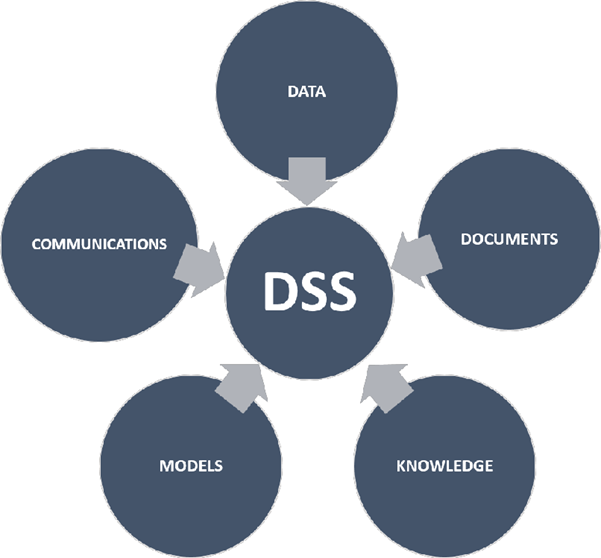
Decision Support Systems manifest in various types, each leveraging distinct sources of information
Data-Driven DSS
Utilizes data from internal or external databases, employing data mining techniques to discern trends and predict future events. Applied in areas like inventory management and sales decisions.
Model-Driven DSS
Customized based on predefined user requirements, utilizing an underlying decision model to analyze scenarios, aiding tasks like scheduling and financial statement development.
Communication-Driven and Group DSS
Enhances collaboration through communication tools, fostering simultaneous work on tasks, improving overall efficiency.
Knowledge-Driven DSS
Leverages a continuously updated knowledge base, aligning with company processes to provide consistent information supporting decision-making.
Document-Driven DSS
Utilizes documents to retrieve data, facilitating searches in webpages or databases for specific terms, such as policies, meeting minutes, and corporate records.
Intelligent Decision Support Systems (IDSS)
Users can infuse artificial intelligence into DSS, giving rise to Intelligent Decision Support Systems (IDSS). AI-driven, these systems mine and process extensive data to offer insights and recommendations, emulating human decision-making capabilities closely. Acting as a virtual consultant, IDSS identifies issues, troubleshoots, and evaluates potential solutions, efficiently processing and analyzing information
V. Examples of DSS Applications
DSS finds application in diverse contexts:
GPS Routing
Facilitates route planning, comparing options based on factors like distance, driving time, and cost, offering alternative routes with step-by-step instructions.
ERP Dashboards
Utilized in enterprise resource planning, DSS visualizes changes in production and business processes, offering insights into business performance against goals.
Clinical Decision Support System (CDSS)
Aids healthcare professionals in interpreting patient records and test results, assisting in treatment plan determination and monitoring patient reactions post-procedures.
Conclusion
As technology advances, DSS is poised to become more accessible and user-friendly. DSS relies on analytical models to derive insights from summary information, exceptions, patterns, and trends. While it aids decision-making, it does not autonomously make decisions; rather, it empowers decision-makers by synthesizing information from diverse sources to identify and solve problems effectively.